



PK2 Tools - Silkroad-Orginal
Secure • Extract • Inject • Build
Open Source PK2 Toolkit for Silkroad-Orginal
Source Code:
İçeriği görüntülemek için Giriş yapın veya Kayıt olun.
Project Information
Hello everyone,
Today I am releasing my open source project:
PK2 Tools - Silkroad-Orginal
This is a clean and modern Windows desktop toolkit for working with Silkroad PK2 archives.
The tool is focused on one clean runtime profile only:
Silkroad-Orginal
The old separated system/profile was removed:
Open Source Repository
GitHub Repository
İçeriği görüntülemek için Giriş yapın veya Kayıt olun.
License: MIT License
Main Features
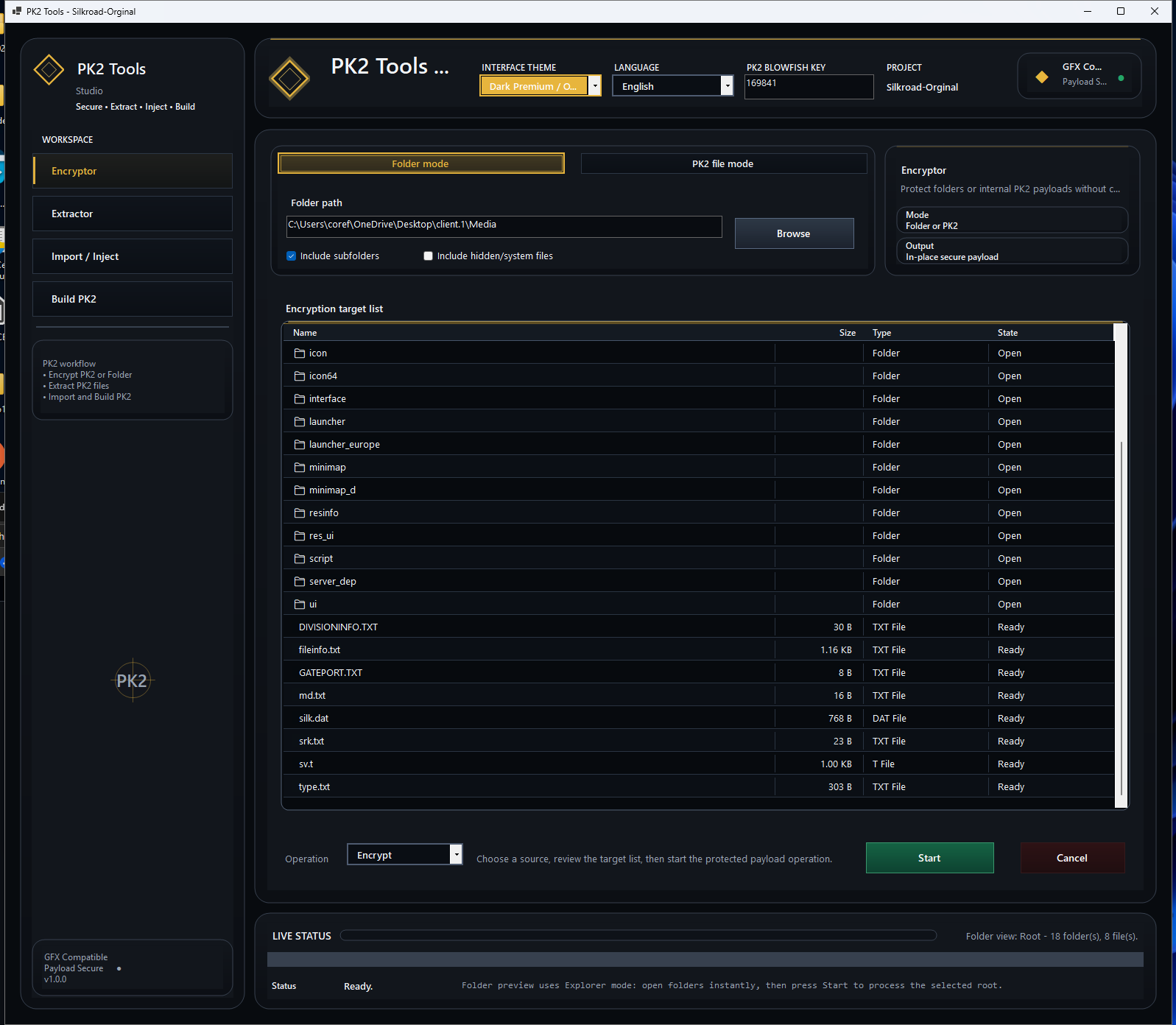
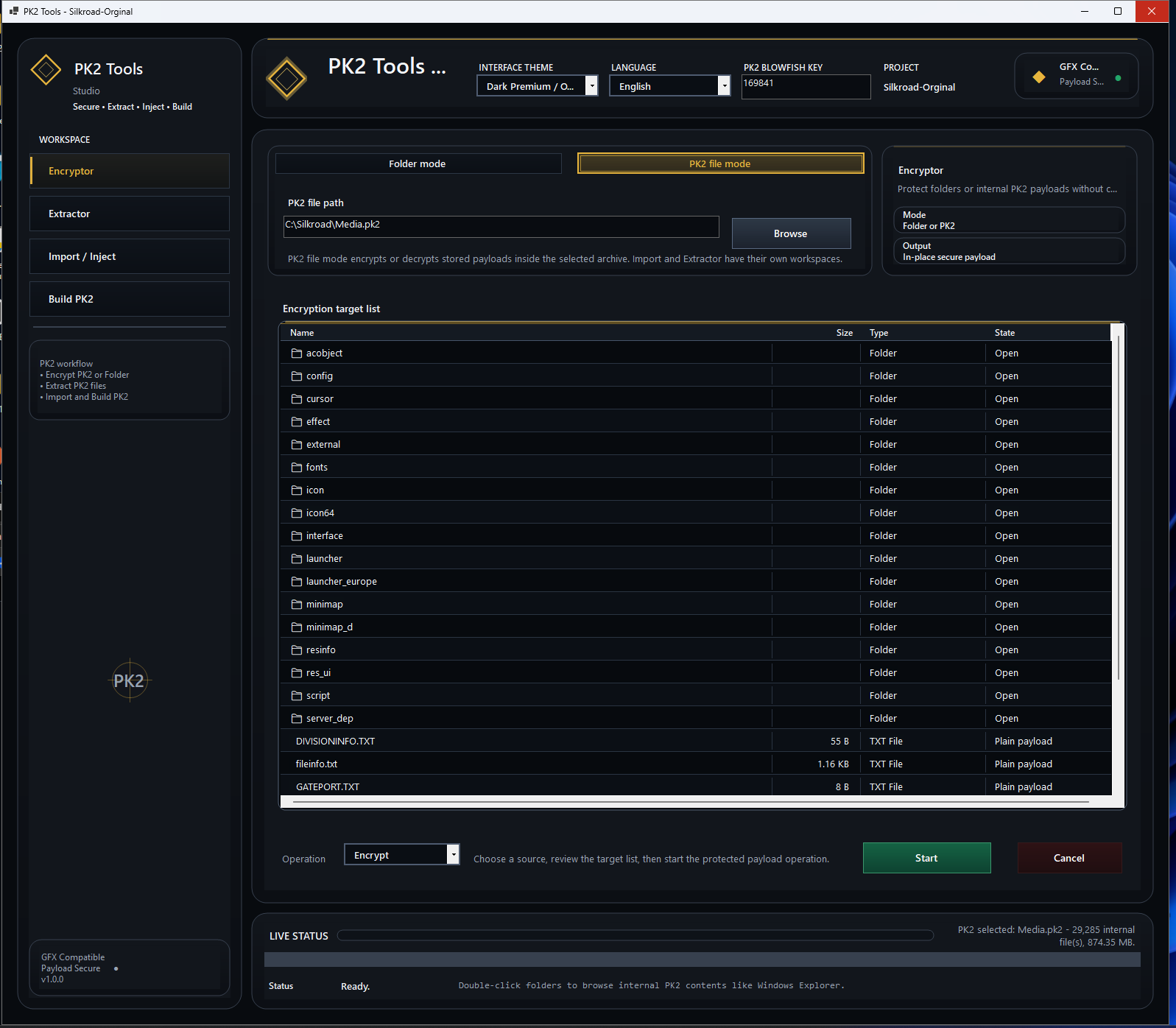
- Encryptor - Encrypt PK2 file or folder payloads.
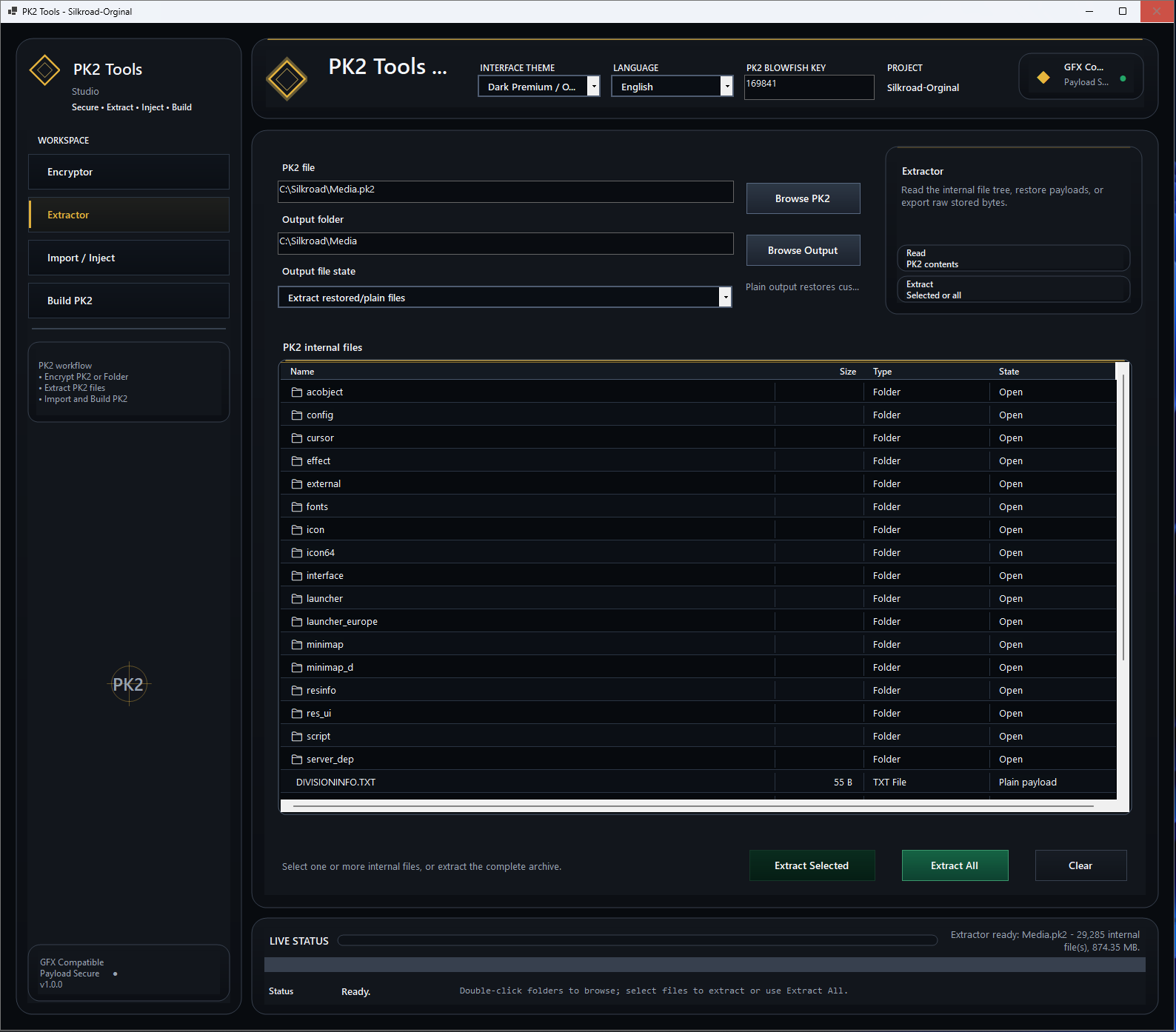
- Extractor - Open PK2 archives, browse internal files, and extract selected files or full archive.
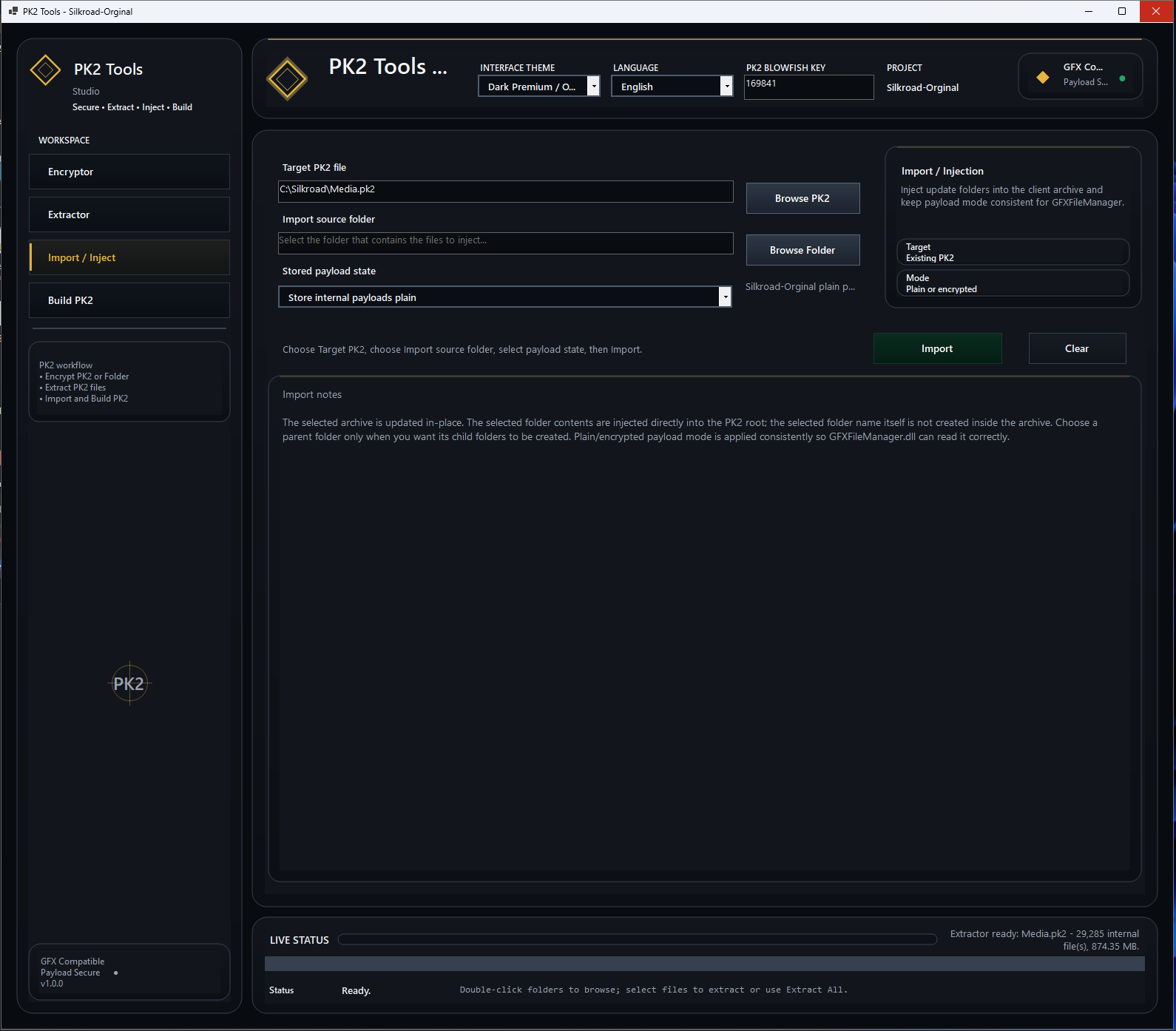
- Import / Inject - Inject files or folders into an existing PK2 archive.
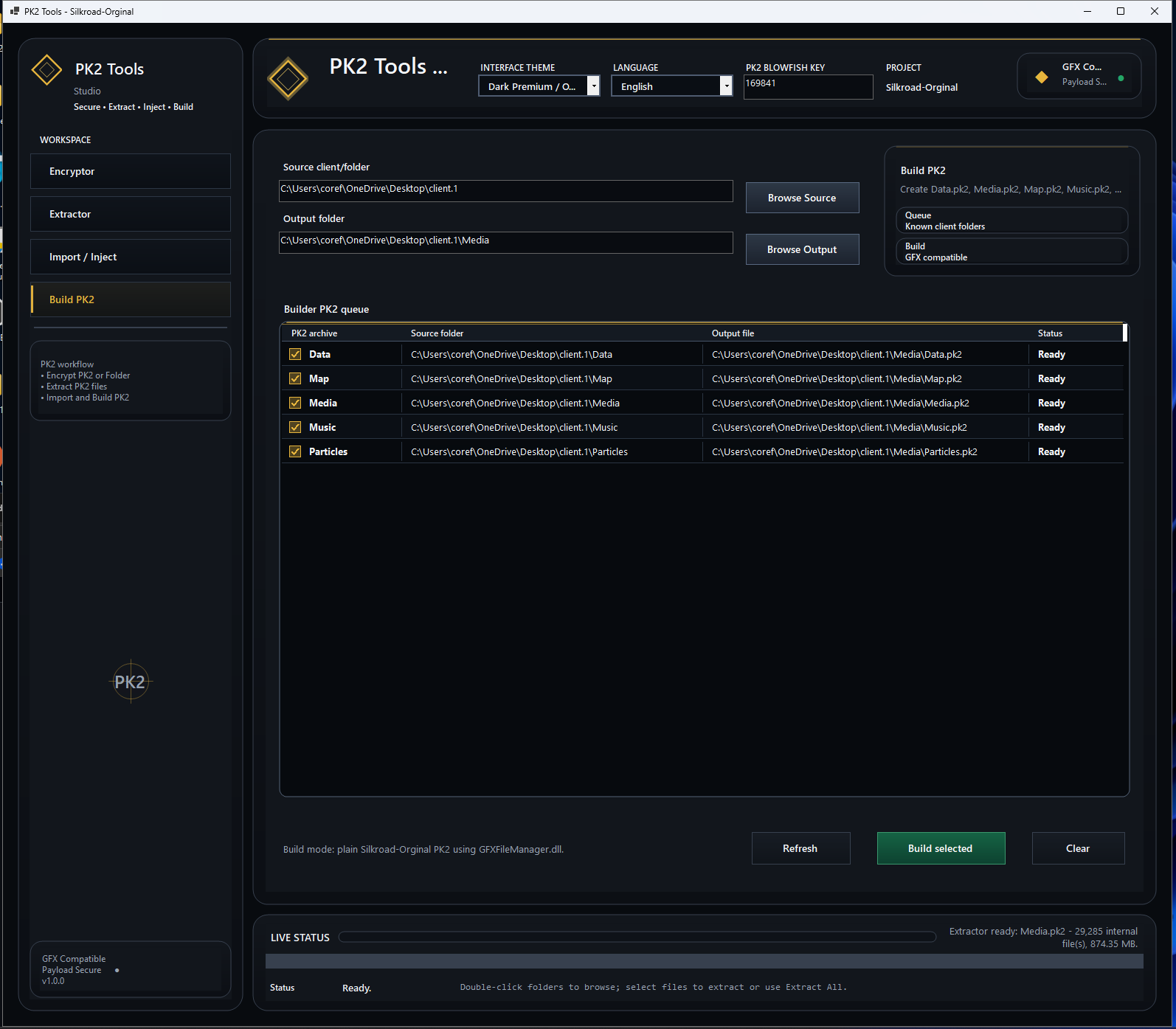
- Build PK2 - Build Silkroad PK2 archives from client folders.
- Editable PK2 Blowfish Key - Change the key directly from the GUI.
- Default Blowfish Key - 169841
- GFXFileManager Compatible
- Clean Dark Premium UI
- Single Runtime Profile - Silkroad-Orginal
PK2 Blowfish Key
The default PK2 Blowfish Key is:
The key is shown directly in the GUI by default.
Users can change the key before reading, extracting, importing, injecting, encrypting, or building PK2 files.
If the key field is empty, the tool automatically falls back to:
Interface Preview
Screenshots are loaded directly from the GitHub repository.
Encryptor - Folder Mode
Encryptor - PK2 File Mode
Extractor
Import / Inject
Build PK2
Project Structure
Main Visual Studio solution:
Main projects:
Runtime profile:
Workspaces
1. Encryptor
- Folder mode
- PK2 file mode
- Encrypt folders
- Encrypt internal PK2 payloads
- Use selected Blowfish Key from GUI
2. Extractor
- Open PK2 archive
- Browse internal PK2 file tree
- Extract selected files
- Extract all files
- Restore plain payload output
3. Import / Inject
- Select target PK2 file
- Select source folder
- Inject files into existing PK2
- Replace updated internal files
- Keep payload mode compatible with GFXFileManager
4. Build PK2
Supports building common Silkroad archives:
Requirements
- Windows 10 / Windows 11
- Visual Studio 2022 or newer
- .NET Desktop Development workload
- Desktop development with C++ workload
- MSBuild
- C++ Build Tools for GFXFileManager
Build Instructions
Clone the repository:
İçeriği görüntülemek için Giriş yapın veya Kayıt olun.
Open the solution:
Select build configuration:
or:
Then build the full solution from Visual Studio and run the main application.
Main Workflow
Interface Theme
The GUI uses a dark premium style with gold accents.
Designed to be clean, simple, and comfortable for PK2 archive management.
Notes
- This source is released as open source.
- The project is focused only on Silkroad-Orginal.
- The default PK2 Blowfish Key is 169841.
- Users can change the Blowfish Key directly from the GUI.
- The tool is designed for PK2 archive management and client maintenance.
Notice
This project is intended for development, education, archive management, and Silkroad client maintenance.
Use it only with files and projects you are allowed to modify.
Download / Source Code
GitHub - PK2 Tools Silkroad-Orginal
İçeriği görüntülemek için Giriş yapın veya Kayıt olun.
Made for clean Silkroad PK2 archive management.
Enjoy
TheRock2007

















![[Release] Fixing Job Temple Mobs](https://www.vsro.org/data/avatars/s/2/2894.jpg)


![🗡️ [RELEASE] SRO Database Command Center v2 — The SQL Bible Every Private Server Admin Needs](https://www.vsro.org/data/attachments/49/49061-404688d335d899ff5fe3abbfff786338.jpg)
![[RELEASE] SRO Window Fix DLL v2.2 - Minimize/Tray/Close + Oyun Durdurma | Stud_PE Uyumlu](https://www.vsro.org/data/avatars/s/8/8077.jpg)
